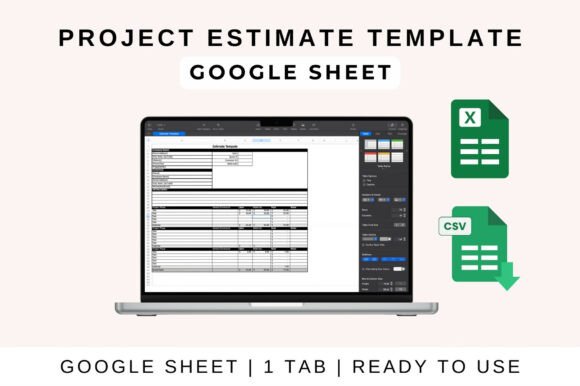
Project Estimate Template: A Designer's Tool for Clarity and Trust
In the world of creative work, a brilliant design is only half the battle won. The other half is securing the project with a clear, professional, and trustworthy proposal. This is where a well-structured Project Estimate Template becomes an indispensable part of your design workflow, transforming complex budgets into a visually organized and compelling document.
More Than a Spreadsheet: A Visual Communication Tool
For graphic designers, every client-facing document is an extension of your brand identity. A generic spreadsheet can undermine the premium, detail-oriented image you strive to project. A dedicated Project Estimate Template, however, acts as a foundational creative asset. It allows you to present labor, materials, timelines, and expenses with the same visual hierarchy and clarity you apply to a logo design or a website layout. This consistency builds immediate client trust and sets a professional tone from the very first interaction.
Whether you're a freelancer, a design agency, or a marketing manager, this tool streamlines the budgeting process. With built-in auto-calculations, it minimizes errors, freeing you to focus on the creative strategy rather than manual number-crunching. Its customizable fields mean you can tailor it to reflect your unique service offerings, from brand identity packages and social media graphics to comprehensive web design projects.
Practical Applications Across Creative Projects
The utility of a robust estimation tool spans nearly every area of visual communication and design. Consider its role in these common scenarios:
- Branding & Logo Design: Break down costs for research, concept development, multiple revision rounds, and final file delivery in various formats.
- Marketing & Advertising Campaigns: Itemize expenses for print design, digital ad creation, photography, and copywriting to give clients a transparent overview.
- Web & UI/UX Design: Clearly separate costs for wireframing, prototyping, visual design, and front-end development milestones.
- Packaging & Editorial Design: Detail expenses for dieline creation, material sourcing, printing supervision, and layout design for publications.
- Social Media & Digital Products: Provide clear pricing for content packages, template creation, or digital asset bundles.
How to Use It in Your Design Workflow
Integrating this template into your process is straightforward, whether you prefer cloud-based collaboration or desktop software. The goal is to make data entry effortless so the focus remains on presentation.
In Google Sheets for Collaborative Projects
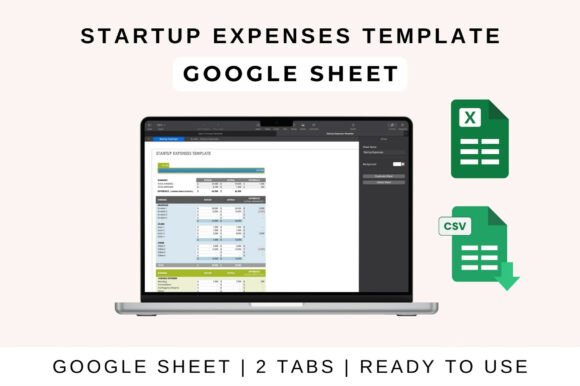
- Open & Upload: Upload the template file to your Google Drive and open it with Google Sheets for easy access.
- Enter Your Data: Systematically fill in projected income and itemized expenses under relevant project categories.
- Leverage Automation: The sheet automatically calculates totals, profit margins, and loss figures, ensuring accuracy.
- Customize Visually: Adjust categories, formulas, and even the visual styling to align with your brand's color palette and typography.
- Share & Collaborate: Share the live link with your team or client for real-time updates and transparent communication.
In Microsoft Excel for Detailed Analysis
- Download & Open: Access the Excel version on your desktop for full offline functionality.
- Enable Editing: If prompted, click "Enable Editing" to unlock all features and formulas.
- Input & Calculate: Enter your project data and watch as formulas automatically update all summaries and charts.
- Analyze with Insights: Utilize the built-in charts and summary tables to assess financial performance at a glance.
- Save & Present: Save your master file or export a clean, professional version as a PDF for client presentation.
Tips for a Polished and Effective Estimate
To maximize the impact of your estimate, treat it with the same care as any design deliverable. Ensure visual consistency with your other brand materials—use your brand's fonts and colors. Prioritize readability with clear labels, ample white space, and a logical flow that guides the client's eye. Structure your estimate to create a strong visual hierarchy, perhaps using bold headings for major sections and subtle shading for line items. This not only looks professional but also enhances the user experience, making complex information easy to digest.
Ultimately, a thoughtful approach to project estimation reinforces your expertise and commitment to transparency. By presenting your creative value in a structured, visually coherent format, you do more than just quote a price—you build a foundation of trust and professionalism that elevates the entire client relationship. Quality creative assets, including how you present your business, are a direct reflection of the quality you bring to your design work.