Streamline Your Creative Business with a Billing Invoice Template
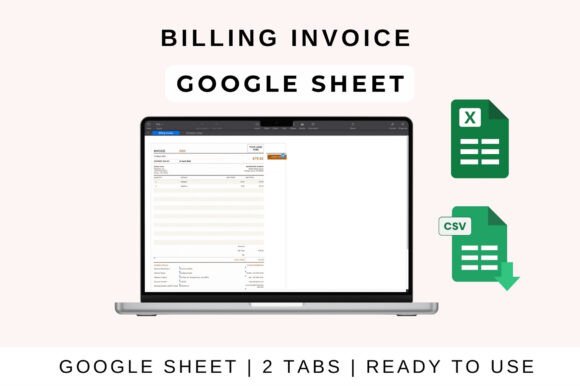
Every designer knows the power of a polished first impression, but that principle extends far beyond the initial logo or website mockup. The final touchpoint of a client engagement—sending the invoice—is a critical moment for reinforcing your brand identity and ensuring a smooth financial transaction. This is where a thoughtfully designed Billing Invoice Template in Google Sheets becomes an indispensable creative asset, blending professional presentation with seamless functionality.
More Than a Bill: A Touchpoint for Brand Consistency
For graphic designers, marketers, and creative agencies, every client interaction is an opportunity to communicate brand values. A generic, plain-text invoice can feel disjointed from the high-quality visual design work you deliver. A customized template allows you to extend your brand's visual language—its color palette, typography, and logo placement—into your financial documents. This consistency builds trust, enhances perceived professionalism, and turns a routine administrative task into a subtle reinforcement of your brand identity.
Practical Applications Across Creative Fields
The utility of a versatile invoicing solution spans the entire creative workflow. It’s not just for final billing; it’s integrated into the fabric of project management and client relations.
- Freelance Designers & Agencies: Clearly itemize services for logo design, web design UI/UX, or social media graphics packages. Use customizable fields to specify project phases or revisions.
- Marketing & Advertising: Bill for campaign development, digital marketing retainers, or advertising campaign production costs with transparent line items.
- Product & Packaging Design: Create detailed invoices for packaging design prototypes, print-ready file preparation, or merchandise creation.
- Editorial & Print Design: Invoice for layout design, editorial design projects, or print design specifications with accuracy.
Key Features for a Flawless Design Workflow
An effective template does the heavy lifting, allowing you to focus on creative work. Look for these essential features:
- Automated Calculations: The template should handle subtotals, applicable taxes, and discounts automatically, minimizing errors and saving valuable time.
- Full Customization: Every field—from your company details and client information to payment terms and notes—should be easily editable to match each project's specifics.
- Cross-Platform Compatibility: Seamless integration with Google Sheets, MS Excel, and Apple Numbers ensures you can work from any device, collaborate in real-time, and maintain a unified design workflow.
- Professional Formatting: A clean, visual hierarchy ensures the document is easy to read, with clear sections for services, costs, and payment instructions.
Getting Started: A Seamless Integration
Implementing this tool into your process is straightforward. After uploading the template to Google Drive, open it in Google Sheets. You can then input your project-specific data, and the sheet will automatically calculate totals, profit, and loss. Customize categories and visuals to align with your brand, then share the link with clients or your team for transparency and real-time updates. The same core functionality is preserved when used in MS Excel or Apple Numbers.
In the realm of visual communication, consistency is king. A dedicated Billing Invoice Template for Google Sheets is more than an administrative tool; it is a component of your professional presentation. It ensures that the meticulous attention to detail you apply to graphic design, color, and composition carries through to the final business exchange. By investing in quality creative assets for every part of your operation, you strengthen your brand, streamline your operations, and communicate the value of your work with clarity and style.